

Each fall, Apple’s software season brings updates that blur the line between personal tech and human biology — and this year’s watchOS 26, arriving September 15, 2025, might be the most personal yet.
It’s not just a new coat of paint. watchOS 26 is a statement about what the Apple Watch has become: a wearable health laboratory, fitness coach, translator, and life assistant — all running on your wrist.
Launched alongside the Apple Watch Series 11, this release introduces Sleep Score, hypertension notifications, Workout Buddy, and the brand-new Liquid Glass interface design. Beneath the visual polish, however, lies something far deeper — the beginning of Apple’s unified AI vision, called Apple Intelligence, now reaching your wrist.
Deeper health insights with Sleep Score and hypertension notifications
A Smarter Sleep System
Sleep tracking has been part of Apple Watch for years, but watchOS 26 brings genuine interpretation to that data.
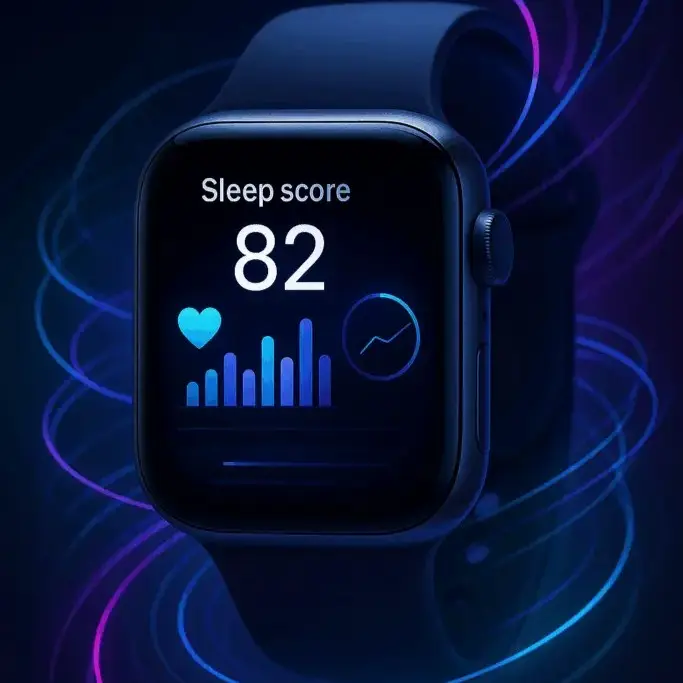
The new Sleep Score combines multiple metrics — heart rate variability, respiratory rate, wrist temperature, motion, sleep stage distribution, and bedtime consistency — into a single number displayed each morning.
It’s not just about hours slept; it’s about rest quality. The algorithm, guided by the American Academy of Sleep Medicine’s frameworks, weighs light, deep, and REM proportions along with interruptions and circadian alignment.
The result is a holistic sleep quality index that finally puts Apple’s health platform on par with — and in many ways ahead of — dedicated sleep trackers like Oura or Whoop.
Sleep Score integrates tightly with Smart Stack, letting users glance at trends right on the watch face. The Health app on iPhone expands those insights into monthly and yearly averages, correlating them with lifestyle data like caffeine intake or late-night notifications.
Blood Pressure Awareness
Paired with the Apple Watch Series 11, watchOS 26 introduces a breakthrough in preventive health monitoring: hypertension notifications.
Using the optical heart sensor’s ability to analyze pulse wave velocity — essentially how fast blood pressure waves travel through arteries — the watch now detects long-term patterns suggestive of elevated blood pressure.
Apple isn’t claiming it replaces a cuff-based reading (that would require medical-grade calibration), but it’s designed to flag consistent anomalies over 30-day periods and prompt users to get checked.
These notifications will roll out gradually as regulators approve them in each region, starting with Series 9 and Ultra 2 owners after launch. It’s another step in Apple’s ongoing pivot from fitness device to preventive health instrument.
AI-Powered Fitness: Workout Buddy and the Next-Gen Workout App
The Apple Watch has always been a silent observer of your fitness journey — measuring, recording, and syncing. But with watchOS 26, it becomes a coach.
Meet Workout Buddy
Powered by Apple Intelligence, Workout Buddy is a contextual, spoken training assistant that personalizes motivation in real time. It analyzes your heart rate, VO₂ max trends, average pace, recovery time, and previous milestones to deliver dynamic coaching cues through your Bluetooth headphones.
It’s not generic cheerleading. If your heart rate plateaus mid-run, it might suggest upping tempo; if it detects elevated exertion too early, it recommends pacing strategies. Apple says its models were trained on millions of anonymized workout sessions, balancing physiological data with user sentiment patterns.
Workout Buddy’s audio feedback sounds conversational, almost human — a direct extension of Apple Intelligence running on the paired iPhone.
The Revamped Workout App
The Workout app itself receives a complete overhaul:
- Workout Views: customizable dashboards displaying pace, elevation, heart rate zones, and real-time splits.
- Pacer & Race Route: track personal bests or race against previous runs with live comparisons.
- Auto Music & Podcast Triggers: start curated Apple Music playlists or motivational podcasts automatically when a session begins.
Sessions created in the Fitness app on iPhone now sync seamlessly, supporting structured intervals or adaptive training plans. The goal is to turn fitness tracking from passive observation into active performance coaching — something previously reserved for high-end sports wearables.
Liquid Glass Design: Apple’s Most Fluid Interface Yet
watchOS 26 introduces Apple’s biggest visual redesign since watchOS 7: the Liquid Glass interface.
Apple calls it “a living material for digital surfaces” — and it shows. Animations ripple with refracted light, mimicking the optical distortion of curved glass. The entire UI — from Smart Stack widgets to Control Center and notifications — adopts fluid motion physics that mirror wrist gestures in real time.
It’s more than aesthetic indulgence; the redesign serves accessibility. The subtle parallax, transparency, and refractive layering improve information legibility while keeping interface density low — crucial for a small screen viewed outdoors.
New Watch Faces
Two new faces debut:
- Flow: a kinetic display where translucent color swirls refract through glass numerals that bend with motion.
- Exactograph: inspired by mechanical regulator clocks, separating hour, minute, and second dials for precision lovers.
Over twenty existing faces now feature always-on seconds hands without needing to raise the wrist — a subtle nod to Apple’s ongoing effort to make the Watch feel more like a traditional timepiece when idle.
Gestures Evolve
Apple also adds a new one-handed wrist-flick gesture. Combined with the double-tap from watchOS 10, users can now dismiss notifications, silence alarms, or stop timers without touching the screen — particularly handy when your other hand is occupied (think cooking, cycling, or lifting).
Small as it seems, it’s part of Apple’s larger push toward non-contact interaction, foreshadowing future visionOS-inspired gesture control across devices.
Communication and Productivity: Smarter, Faster, More Contextual
watchOS 26 turns the Apple Watch from notification hub to communication assistant — blending machine learning and Apple Intelligence for real-world convenience.
Live Translation
With an Apple Intelligence-enabled iPhone nearby, Messages on the Watch can now translate incoming texts into your preferred language instantly. Replies can also auto-translate back into the sender’s language.
It’s frictionless multilingual communication on your wrist — ideal for travelers, remote teams, or bilingual households. The feature currently supports English, Spanish, French, German, Japanese, and Mandarin, with more languages coming through server-side updates.
Contextual Messaging Suggestions
Beyond translation, Messages can now detect context. If a friend texts, “Let me know when you get home,” the Watch suggests initiating a Check In. If someone requests payment, it surfaces Apple Cash shortcuts. Apple’s semantic detection engine processes text locally for privacy while triggering these contextual tiles.
Notes Comes to Apple Watch
A long-requested addition: Notes finally lands on the Watch. You can dictate quick ideas, add voice memos, or view synced lists from your iPhone or iCloud. It supports smart categorization, tagging, and the same end-to-end encryption used on iOS.
It’s not a full-fledged editing app — but for capturing reminders on the move, it’s indispensable.
Hold Assist and Call Screening
Two subtle yet brilliant communication tools debut:
- Hold Assist listens for you when you’re placed on hold, alerting you the moment a human agent returns.
- Call Screening answers unknown calls silently, prompting the caller to state their name and reason before deciding whether to connect.
Both rely on neural audio recognition and on-device processing, ensuring privacy while reducing the frustration of endless hold music or spam calls.
Intelligence in the Background: Smart Stack Hints
The Smart Stack — Apple’s carousel of contextual widgets — gets significantly smarter in watchOS 26.
Now powered by Apple Intelligence, Smart Stack Hints proactively suggests actions based on patterns it learns:
- Weather widget appears before your morning run.
- Calendar card surfaces just before a meeting.
- Music tile prompts your favorite playlist during commute hours.
This personalization runs entirely on-device, preserving privacy while adapting dynamically throughout the day. It’s Apple’s vision of “ambient assistance” — subtle, predictive, and never intrusive.
Performance, Compatibility, and Ecosystem Integration
watchOS 26 continues Apple’s tradition of long software support:
- Compatible with Apple Watch Series 6 and later
- Apple Watch SE (2nd gen) and all Ultra models
- Requires an iPhone 11 or newer running iOS 26
Performance-wise, Apple claims apps open up to 30 % faster, animations run at 120 Hz on Series 9 and later, and battery efficiency improves by roughly 7–10 % through revised background refresh scheduling.
The system-wide use of SwiftUI 5 introduces smoother micro-interactions, while watchOS 26 SDK expands capabilities for developers — including background Bluetooth APIs, custom haptic events, and gesture-based shortcuts.
In practice, these changes make everyday interactions — opening apps, responding to messages, or switching workouts — feel as fluid as swiping through iOS 26 itself.
The Broader Vision: Apple Intelligence Everywhere
watchOS 26 isn’t just an isolated update; it’s part of Apple’s grander strategy to unify AI experiences across devices.
On the Watch, Apple Intelligence focuses on micro-context — fast, private, and relevant suggestions derived from daily behavior. This complements iOS 26’s macro-context AI, which handles larger tasks like summarizing texts or writing messages.
Together, they form a feedback loop:
- Apple Intelligence on iPhone trains on broader usage patterns.
- watchOS 26 refines those insights with physiological and contextual cues — sleep, heart rate, motion.
- The ecosystem synchronizes, ensuring Apple’s AI knows when to offer help without ever feeling invasive.
This synergy is uniquely Apple: hardware, sensors, and AI models designed under one roof.
The Human-Technology Interface: Design That Feels Alive
One of Apple’s most underappreciated skills is translating raw technology into emotion. watchOS 26 exemplifies this philosophy.
The Liquid Glass animations respond to subtle wrist rotations with lifelike inertia. Haptics mimic natural feedback — from a soft tap when you close a ring to a firmer pulse during hypertension alerts. Even text animations use micro-physics tuned to mimic organic motion, a design philosophy Apple calls kinetic empathy.
These touches aren’t trivial. They represent Apple’s intent to make technology feel alive — responsive not just to touch, but to presence.
Feature Snapshot
| Feature | Description | Availability |
|---|---|---|
| Sleep Score | Nightly quality score based on heart rate, sleep stages, and consistency | Series 6+, SE (2nd gen)+, Ultra models |
| Hypertension Notifications | Detects long-term patterns suggesting high blood pressure | Pending regulatory clearance; Series 9+, Ultra 2+ |
| Workout Buddy | AI-driven personalized voice coaching | Requires Apple Intelligence-enabled iPhone |
| Workout App Enhancements | Custom Workout Views, Race Route, Pacer, music/podcast sync | All supported models |
| Liquid Glass Design | Fluid new interface and two new watch faces | All supported models |
| Wrist-Flick Gesture | Dismiss or silence with a wrist motion | All supported models |
| Smart Stack Hints | Proactive widget suggestions via Apple Intelligence | All supported models |
| Live Translation | Auto-translate incoming texts | Requires Apple Intelligence-enabled iPhone |
| Notes App | Create and access notes from the wrist | All supported models |
| Hold Assist & Call Screening | Alerts when holds end; screens calls | Requires paired iPhone nearby |
Why watchOS 26 Matters
Apple’s approach to software updates has shifted from iteration to evolution. The Apple Watch is no longer defined by hardware specs — screen brightness, case size, or sensor count — but by how intelligently it interprets the wearer.
With watchOS 26, that intelligence becomes contextual.
- It knows when you’ve slept poorly and adjusts your daily coaching.
- It understands when to offer translations or reminders.
- It adapts its visuals and interactions based on movement and environment.
This is the convergence of biometrics, AI, and interface design — turning a wrist computer into something that feels almost empathetic.
Conclusion: A More Human Apple Watch
watchOS 26 is not about flashy features; it’s about coherence. It unites health, fitness, communication, and design under one adaptive intelligence.
With Sleep Score, Apple moves closer to clinical-grade wellness insights.
With Workout Buddy, it merges AI coaching with physiological understanding.
And with Liquid Glass, it reimagines how information can feel fluid and alive.
In short, Apple has taken the most successful wearable in history and made it smarter, more personal, and more human.
Whether you wear it to sleep, to train, or simply to stay connected, watchOS 26 ensures your Apple Watch isn’t just tracking your life — it’s learning how to enhance it.



Reader perspectives, questions, and reactions.
No comments yet. Start the conversation.
Comments are closed for this article.