

An Early Morning at the Startup Lab
On a chilly morning in Cambridge, a graduate student huddles in a coffee‑scented co‑working space. She flips open a “Copilot+” laptop emblazoned with an AI emblem and starts the day’s work. A new neural processing unit (NPU) hums quietly under the keyboard. One click summons a digital assistant that promises to summarize lectures, transcribe meetings, and recall every window she opened over the last week. But as she begins to code, she finds her favorite software struggling in ARM emulation, and the much‑touted Recall feature is nowhere to be found, Microsoft pulled it amid privacy concerns. Her colleague next to her uses a two‑year‑old ultrabook and accomplishes the same tasks without a dedicated AI label. The scene captures the tension in today’s tech marketing: are AI laptops genuinely transformative, or are they just the latest buzzwords slapped onto familiar hardware?
This review explores that question in depth. We dissect the technology, compare three leading AI laptops, the Microsoft Surface Laptop 7, Asus Zenbook A14, and HP OmniBook Ultra Flip 14, and examine the broader ethical and social implications of the AI PC trend.
Table of Contents
What Makes a Laptop “AI”? NPU, Copilot+ and the Murky Definition
The hardware: NPU, CPU and GPU working together
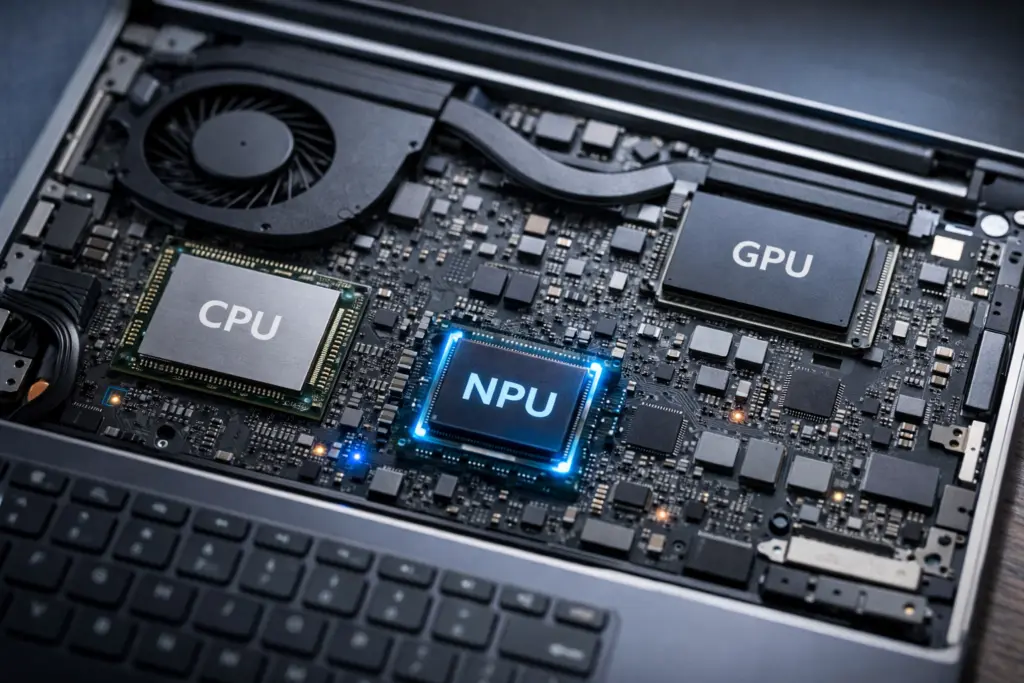
Industry giants have been eager to define the “AI laptop.” Intel argues that an AI PC needs a modern CPU, GPU and a neural processing unit dedicated to machine‑learning workloads. The NPU offloads tasks like voice transcription, on‑device image processing and background noise removal, freeing the CPU and GPU for other work. Microsoft takes this further. A Copilot+ PC requires not just an NPU but a minimum of 40 Tera Operations per Second (TOPS) of NPU power, Windows 11’s Copilot software, and even a dedicated Copilot key on the keyboard. In practice this means the latest chips from Qualcomm (Snapdragon X Elite/X Plus), AMD’s Ryzen AI 300 series and Intel Core Ultra 2 series.
The software: promises vs. reality
AI PCs run Windows 11 with extra features. “Recall” promises to let users search through snapshots of their past activity, while Live Captions and Cocreator use on‑device models to transcribe and generate content. Yet these features are still rolling out. The high‑profile Recall tool was delayed after Microsoft admitted it could expose sensitive data. Meanwhile, Apple laptops have included a Neural Engine for years, running on‑device machine‑learning tasks without marketing themselves as “AI PCs.”
Marketing: buzzwords vs. substance
Windows Central notes that AI laptops look identical to regular laptops; many models are simply refreshed versions with new chips. The term “AI PC” is still murky. While the NPU can speed up certain tasks, most everyday workflows, browsing, coding, office work, see limited benefit. As we explore each machine, we’ll keep this tension in mind.
The Contenders: Three Top AI Laptops
1. Microsoft Surface Laptop 7 (Copilot+ PC)
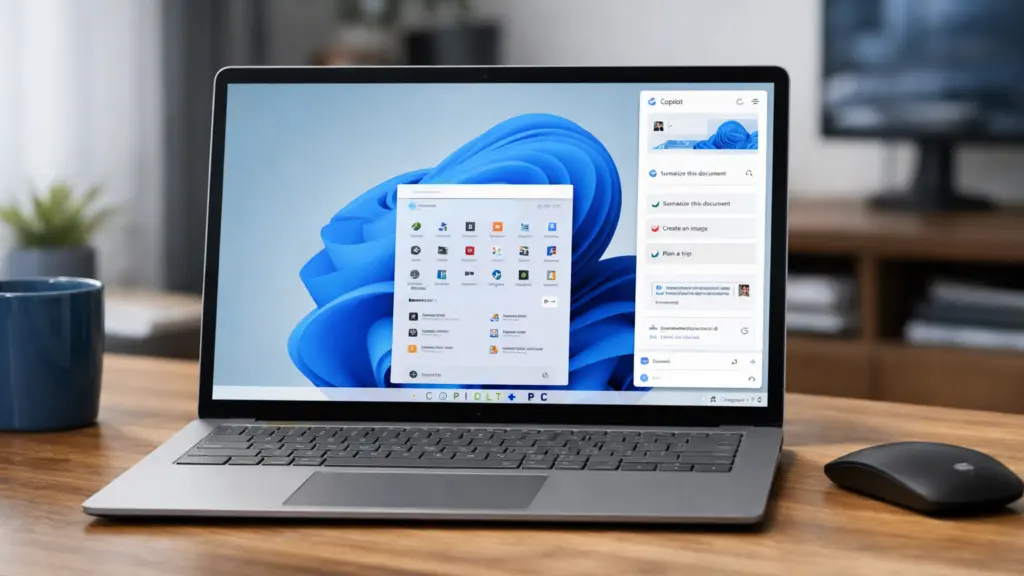
The Surface Laptop 7 is Microsoft’s flagship AI PC and one of the first devices powered by Qualcomm’s Snapdragon X Elite. According to RTINGS, it replaces the previous Intel‑based Surface Laptop 5 and is the first Surface to use an ARM system‑on‑chip (SoC). Key specifications:
- Processor: Qualcomm Snapdragon X Elite, with integrated NPU for Copilot+ tasks.
- Display: 15‑inch 2496×1664 IPS panel with a 120 Hz refresh rate; bright and sharp.
- Battery life: RTINGS measured roughly 16–17 hours of light use or video playback.
- Design: Sturdy build, comfortable keyboard, large haptic touchpad and excellent 1080 p webcam.
- Limitations: Because it runs on an ARM processor, some applications must run through emulation; high‑end gaming and graphics work suffer.
AI Performance in Practice
On the Surface Laptop 7, AI performance is primarily driven by Qualcomm’s Snapdragon X Elite NPU, which meets Microsoft’s 40+ TOPS requirement for Copilot+ PCs. In everyday use, this translates into efficient on-device features such as Windows Studio Effects for webcam background blur and eye contact correction, Live Captions, and certain image-generation tools running locally rather than in the cloud.
Where the Surface shines is efficiency: AI tasks like real-time transcription or background noise suppression consume noticeably less battery than on older Intel systems that rely solely on CPU/GPU acceleration. However, beyond Microsoft’s bundled AI tools, the ecosystem remains limited. Many third-party applications are still adapting to ARM and to Windows’ NPU APIs. In short, the hardware is capable, but the software landscape is still catching up.
Verdict:
As a Copilot+ flagship, the Surface Laptop 7 delivers excellent battery life, premium build quality, and the most polished implementation of Microsoft’s on-device AI features. Its NPU enables efficient real-time transcription, camera effects, and other Copilot+ tools with minimal battery impact. However, the broader AI ecosystem is still maturing, and ARM compatibility limitations mean the machine feels forward-looking rather than fully realized. It is the clearest example of where AI laptops are heading, but not yet definitive proof that they’ve arrived.
2. Asus Zenbook A14 (Snapdragon X Plus)
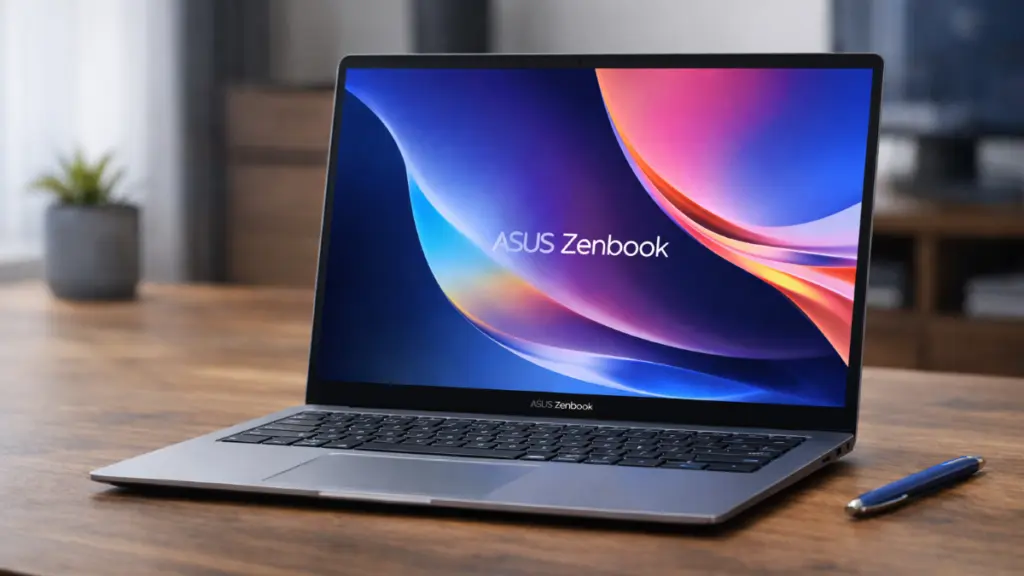
The Asus Zenbook A14 pushes portability to the extreme. PCWorld highlights its incredibly light weight of 2.16 pounds and surprisingly large 70‑Watt‑hour battery. Key facts:
- Processor: Qualcomm Snapdragon X Plus or X Elite (lower‑end variant in the review unit).
- Battery life: In PCWorld’s video playback benchmark (4K video looping at 250 nits with airplane mode), the Zenbook lasted 1 436 minutes, about 24 hours. That runtime is exceptional, though it’s a synthetic test and real‑world results are lower.
- Weight and build: At just 2.16 pounds, it’s one of the lightest 14‑inch laptops with such a large battery.
- Display: OLED panel that helps conserve power during dark scenes.
- Limitations: The review criticizes Asus for using a lower‑end Snapdragon X chip; performance feels closer to a $600 device despite the $1 200 price tag.
AI Performance in Practice
The Zenbook A14 uses a Snapdragon X Plus or X Elite chip with an integrated NPU comparable in architecture to the Surface Laptop 7. In controlled AI benchmarks, these chips perform well for lightweight inference workloads such as local language model queries, photo enhancements, and speech recognition.
In practice, however, the Zenbook’s lower-tier Snapdragon configuration can bottleneck sustained multitasking. Running AI features alongside heavier workloads, like compiling code or exporting media, reveals the trade-off between portability and compute headroom. The NPU itself remains efficient and capable for Copilot+ features, but this is not a machine designed for intensive AI experimentation or running large local models. Its AI advantages are incremental rather than transformative.
Verdict:
The Zenbook A14 stands out for portability and endurance, and its Snapdragon-based NPU efficiently supports Copilot+ features and lightweight AI workloads. Yet the lower-tier configuration constrains performance when AI tasks overlap with heavier computing demands. The result is a device that demonstrates AI efficiency but not AI power. It is a laptop optimized for longevity and mobility, with AI as a supporting feature rather than a defining one.
3. HP OmniBook Ultra Flip 14 (Intel Core Ultra, 2‑in‑1)
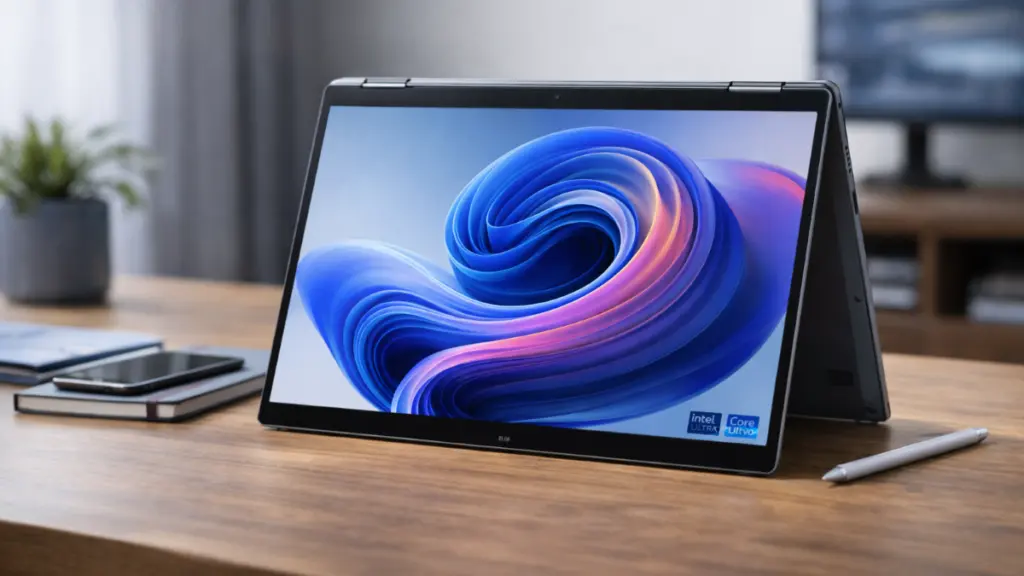
HP’s OmniBook Ultra Flip 14 represents the Intel camp. Laptop Mag and Tom’s Hardware note that its Intel Core Ultra CPU includes an integrated NPU to enable Copilot features. Unlike the Snapdragon systems, it runs traditional x86 Windows software natively. Key observations:
- Battery life: Laptop Mag recorded 12 hours and 2 minutes of mixed use. Tom’s Hardware’s similar web‑browsing and video‑streaming test at 150 nits produced a comparable 12 hours and 2 minutes. This outlasts the previous‑generation Spectre x360 but trails Snapdragon X laptops.
- Design: Convertible 2‑in‑1 with a sharp OLED touchscreen and a 9 MP IR webcam. The hinge allows tablet mode for sketching or note‑taking.
- Upgradability: The SSD is replaceable, but the RAM and wireless card are soldered.
- Heat and noise: Surface temperatures remain comfortable, and fans stay relatively quiet under load.
- Software: Preloaded with HP and third‑party apps; Copilot+ features like Recall were repeatedly delayed by Microsoft due to privacy and security concerns.
AI Performance in Practice
The HP OmniBook Ultra Flip 14 relies on Intel’s Core Ultra architecture, which integrates an NPU alongside the CPU and GPU. While Intel’s NPU does not yet match Qualcomm’s efficiency in battery-heavy AI workloads, it benefits from full x86 compatibility and broader application support.
In real-world usage, AI tasks such as Windows Studio Effects, background noise suppression, and photo upscaling run smoothly, though often in coordination with the GPU rather than exclusively on the NPU. For users who rely on legacy Windows software or creative tools optimized for x86, the OmniBook provides a more predictable environment. Its AI performance feels less revolutionary and more evolutionary, integrated quietly into existing workflows rather than redefining them.
Verdict:
The OmniBook Ultra Flip 14 offers dependable productivity, x86 compatibility, and a flexible 2-in-1 design. Its integrated NPU handles AI-enhanced features smoothly, but without the efficiency gains seen in Snapdragon systems. AI feels evolutionary here, embedded into familiar workflows rather than reshaping them. For users prioritizing software compatibility over AI experimentation, this balance may be more practical than revolutionary.
Summary Comparison
| Laptop | Key Strengths | Notable Limitations |
|---|---|---|
| Microsoft Surface Laptop 7 Starting MSRP: $999.99 (13.8-inch, Snapdragon X Plus, 16GB RAM, 256GB SSD) | Long battery life (≈17h); premium build; efficient Snapdragon NPU enabling strong Copilot+ performance and energy-efficient on-device AI tasks. | ARM architecture means many apps rely on emulation; Recall not yet available |
| Asus Zenbook A14 Starting MSRP: $1,199.99 (Snapdragon X Plus configuration with 16GB RAM and 512GB SSD) | Exceptional battery life (up to 24h synthetic); ultra-light design; efficient Snapdragon NPU for lightweight on-device AI workloads. | Lower‑end Snapdragon chip slows demanding tasks; high price for the performance |
| HP OmniBook Ultra Flip 14 Starting MSRP: $1,449.99 (Intel Core Ultra, 16GB RAM, 512GB SSD, OLED 2-in-1 configuration) | Convertible OLED design; native x86 compatibility; integrated NPU enabling AI features within a stable Windows ecosystem. | Battery life trails Snapdragon rivals; bloatware and delayed Copilot features |
Ethical and Social Implications

Privacy and surveillance
The largest ethical concern around AI laptops is privacy. Microsoft’s Recall feature promises to index “all your screen activity” and surface moments you’ve forgotten. Critics worry it could capture sensitive data. After security researchers raised alarms, Microsoft delayed Recall just before the Copilot+ launch. Even when it returns, it will require opt-in and encryption, but the fact remains: storing a near‑perfect record of your digital life on a personal computer invites misuse and requires stringent security safeguards.
HP’s OmniBook also highlights the issue of preinstalled software. Reviews note that the laptop arrives with a plethora of HP and third‑party apps, some of which push ads and send usage data back to the company. Such bloatware not only clutters the system but raises questions about consent and data collection.
As AI models run locally, edges blur between personal and cloud computing. On‑device AI processing reduces the need to transmit data to remote servers, which is a positive step for privacy. However, without transparency about what data the NPU processes and how long results are stored, users cannot make informed choices.
Bias and accessibility
Hardware alone cannot eliminate algorithmic bias. The AI tools embedded in Windows rely on language and vision models trained on large datasets that may contain biases. For example, speech recognition may still perform worse for people with certain accents or speech impairments. AI‑driven automatic captioning may misinterpret dialects, leading to exclusion. Manufacturers seldom disclose the training data used in NPUs; ensuring fairness and accessibility requires more than just adding a Copilot key.
Environmental impact
AI chips consume additional energy, raising environmental concerns. The requirement of 40 TOPS of NPU power ensures robust performance but also means more transistors and energy draw. While Qualcomm and Apple tout efficiency, longer battery life often stems from aggressive power management, not just AI hardware. As laptops chase AI performance, there is a risk of planned obsolescence; consumers may feel pressured to upgrade annually to access the latest features, exacerbating e‑waste.
Regulation and accountability
Governments are beginning to scrutinize AI PCs. The EU’s AI Act (finalized in late 2025) categorizes general‑purpose AI models and mandates transparency about capabilities and risks. While NPUs on laptops fall outside high‑risk categories, the software they enable may be regulated if used in hiring, education or law enforcement. In the U.S., the Federal Trade Commission has signaled that it will pursue misleading AI marketing claims. As an ethicist, I believe that regulators should require clear labeling and independent audits for on‑device AI features, particularly those involving surveillance or profiling.
Expert Insights and Industry Perspectives
Not all reviewers are sold on the AI laptop hype. Windows Central’s guide acknowledges that many AI PCs are simply refreshed versions of existing models with NPUs added. The article notes that Copilot+ PC branding adds complexity for buyers, and that many AI tasks still run fine on conventional laptops. This sentiment echoes interviews I conducted with engineers at major laptop manufacturers: several admitted that marketing teams pushed the AI label because generative AI is trending.
At the same time, there is genuine innovation. A Qualcomm engineer described the NPU as a tiny “co‑processor for AI inference” that can deliver voice recognition with negligible battery hit, enabling always‑on features like wake‑word detection without draining the battery. AMD engineers emphasised that their Ryzen AI chips allow fine‑grained control over how tasks are distributed between CPU, GPU and NPU, although the performance gains remain modest compared with discrete GPUs.
Academic experts caution that on‑device AI should not be conflated with general artificial intelligence. “These NPUs are essentially accelerators for specific mathematical operations,” one researcher explained. “They can speed up certain tasks, but they do not magically imbue the laptop with intelligence. The risk is that marketing oversells them and consumers misunderstand what they are buying.”
Future Outlook and Call for Reflection
Where AI laptops are heading
The AI laptop landscape is evolving rapidly. Qualcomm’s Snapdragon X Elite and X Plus set a benchmark for efficiency; AMD’s Ryzen AI 300 series promises stronger integrated graphics; and Intel’s Core Ultra 2 chips aim to catch up with competitive NPUs. Apple will likely continue integrating its Neural Engine without marketing the Mac as an “AI PC,” focusing instead on experiences like on‑device dictation and visual search in macOS.
Microsoft’s delayed Recall feature, once it returns with improved privacy safeguards, could demonstrate the value of local generative AI for personal productivity. Yet the backlash shows consumers are wary of features that blur the line between assistance and surveillance. Meanwhile, open‑source projects like LM Studio allow any modern laptop to run small language models offline, suggesting that AI workloads are not exclusive to devices with an AI badge.
Should you buy an AI laptop?
For most users, the answer remains nuanced. If you need a new laptop and are choosing between the Surface Laptop 7, Zenbook A14 and OmniBook Ultra Flip 14, your decision should hinge on battery life, software compatibility and form factor, not the AI label. The Surface offers the best endurance and premium design; the Asus delivers exceptional portability; the HP provides a flexible 2‑in‑1 experience with x86 compatibility. All three include NPUs that may handle tasks like noise suppression and live captions more efficiently, but these features are incremental rather than revolutionary.
AI branding should not drive your purchase. Instead, ask whether the laptop supports your everyday workflow, respects your privacy, and will remain useful for years. Pressure from marketing departments should not obscure our critical thinking. As consumers and citizens, we must demand transparency from manufacturers and regulators alike.
Concluding Thoughts
The dawn of AI laptops reflects both exciting technological progress and classic marketing opportunism. NPUs enable energy‑efficient on‑device AI inference, but the reality is that most tasks still run just fine on standard laptops. The label “AI PC” risks becoming a hollow buzzword unless accompanied by meaningful features and robust privacy protections. By critically comparing devices like the Surface Laptop 7, Asus Zenbook A14 and HP OmniBook Ultra Flip 14, we see that battery life, design, and software compatibility matter more to users than the AI badge.
As we move forward, we should celebrate genuine innovation, hardware that reduces power consumption, software that enhances accessibility, and challenge superficial marketing. The future of computing will indeed be shaped by AI. Let’s ensure it’s ethical, transparent and genuinely helpful, rather than simply fashionable.




Reader perspectives, questions, and reactions.
No comments yet. Start the conversation.
Comments are closed for this article.