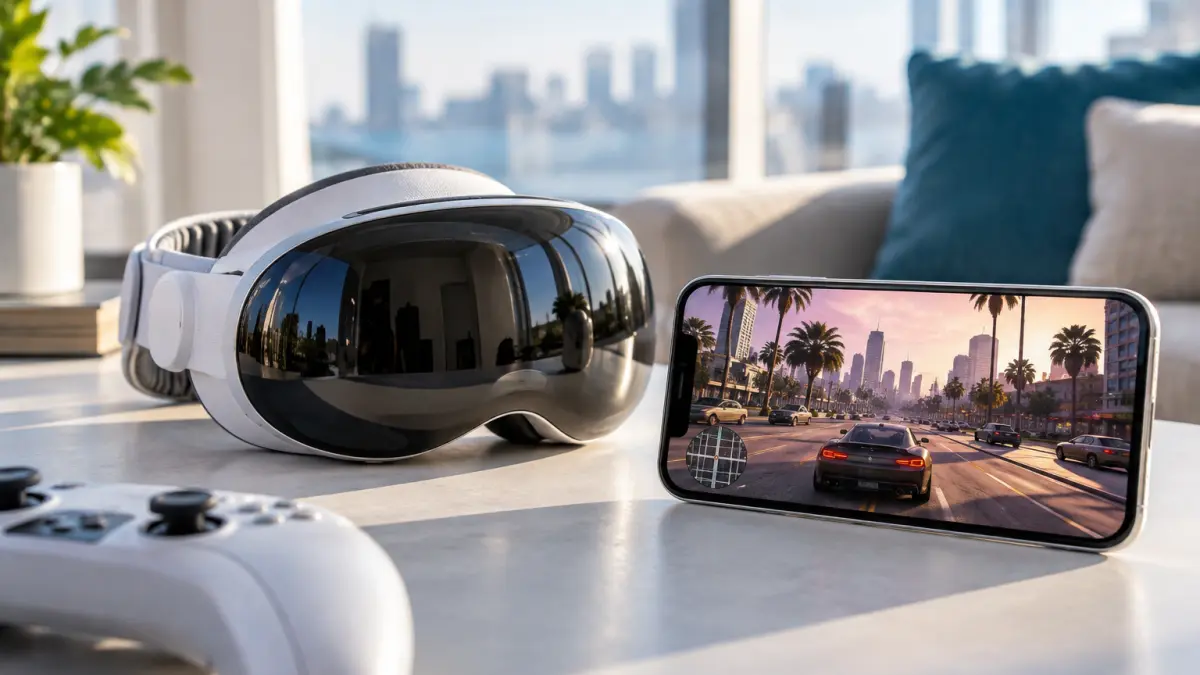

Apple device users can now experience Grand Theft Auto VI on iPhone, iPad, and Apple Vision Pro through cloud and console streaming. The game is not running natively on Apple hardware, but streaming technology makes it possible to play Rockstar’s latest blockbuster without a dedicated iOS, iPadOS, or visionOS version.
GTA VI launched on November 19 for PlayStation 5 and Xbox Series X|S. Microsoft is also offering the game through Xbox Cloud Gaming, giving supported iPhone and iPad users a direct path to the game through Safari. PlayStation owners can instead stream their own PS5 through Sony’s PS Remote Play app.
How to Play GTA VI on iPhone or iPad With Xbox Cloud Gaming
For users who do not own a PlayStation 5, Xbox Cloud Gaming is the most direct option on iPhone and iPad.
Microsoft officially supports Xbox Cloud Gaming on iPhones running iOS 14.4 or later and iPads running iPadOS 14.4 or later. The service works through Safari rather than requiring a conventional App Store game installation.
To get started:
- Open Safari on an iPhone or iPad.
- Visit Xbox Cloud Gaming at xbox.com/play.
- Sign in with a Microsoft account.
- Purchase GTA VI if it is not already associated with the account.
- Make sure the account has eligible cloud playtime through Game Pass, purchased cloud time, or another supported cloud option.
- Connect a compatible controller.
- Launch GTA VI from the cloud library.
Microsoft says GTA VI must be purchased separately. It is not included automatically with Xbox Game Pass, although eligible Game Pass plans include cloud gaming time that can be used to stream purchased titles.
Users can also add Xbox Cloud Gaming to the iPhone or iPad Home Screen. In Safari, open the Share menu and select Add to Home Screen, which creates an app-like shortcut to the cloud service.
Xbox Cloud Gaming Does Not Require an Xbox Console
One important advantage of the Xbox option is that the game runs on Microsoft’s remote servers.
An Xbox Series X or Series S does not need to be sitting at home and turned on. The Apple device receives a live video stream of the game while controller commands are sent back to Microsoft’s servers.
Microsoft says GTA VI uses Xbox Series S graphics settings when played through Xbox Cloud Gaming.
This makes Xbox Cloud Gaming the closest option to actually having GTA VI available directly on an iPhone or iPad, even though the game itself remains hosted remotely.
PlayStation Owners Can Use PS Remote Play
Players who already own GTA VI on PlayStation 5 have another option: Sony’s PS Remote Play.
The free PS Remote Play app is available for iPhone and iPad. Instead of running the game from a cloud data center, Remote Play streams the image directly from the user’s own PS5.
To use it:
- Install PS Remote Play from the App Store.
- On the PS5, open Settings > System > Remote Play and enable Remote Play.
- Sign into the Remote Play app with the same PlayStation account used on the PS5.
- Pair a DualSense, DualSense Edge, or another supported controller with the iPhone or iPad.
- Connect to the PS5 and launch GTA VI normally.
The PS5 can also be configured so Remote Play can wake it from Rest Mode. Sony recommends enabling Stay Connected to the Internet and Enable Turning on PS5 from Network under the console’s Rest Mode settings.
Unlike Xbox Cloud Gaming, this method requires your own PS5 and your own copy of GTA VI.
What About Apple Vision Pro?
Apple Vision Pro does not have a native GTA VI version either, but console streaming provides another route.
Apple itself highlights third-party remote-play applications such as Portal, which can stream games from PlayStation and Xbox consoles to Vision Pro. Portal supports spatial audio and frame rates of up to 120Hz, turning the headset into a large virtual display for console gaming.
That means a user with GTA VI running on a compatible console can potentially play it inside Vision Pro as a large spatial screen rather than through a native visionOS version.
The experience is fundamentally different from a VR version of GTA VI. The game remains a traditional flat-screen title displayed inside Apple’s spatial environment.
Which Service Should You Use?
For most Apple users, the choice depends on what gaming hardware they already own.
Xbox Cloud Gaming makes the most sense if you want to play GTA VI on an iPhone or iPad without owning an Xbox Series console. You still need to purchase the game and have eligible cloud playtime, but the rendering happens entirely on Microsoft’s servers.
PS Remote Play makes sense if you already own a PS5 and GTA VI. It uses your home console as the gaming hardware and streams the result to your Apple device.
Vision Pro remote-play apps are best suited to users who want to turn the headset into a large virtual gaming display while using their existing console.
Controllers Make a Major Difference
While some cloud games support touchscreen controls, GTA VI is designed around a traditional console controller.
On iPhone and iPad, users can pair controllers such as:
- Xbox Wireless Controller
- PlayStation DualSense
- DualSense Edge
- supported Backbone controllers
Sony officially supports DualSense controllers with compatible iPhones and iPads through PS Remote Play.
For a game as complex as GTA VI, a physical controller will provide a substantially better experience than touchscreen input.
Network Quality Is Critical
Streaming removes the need for powerful local hardware, but it replaces that requirement with a strong network connection.
Microsoft recommends 20Mbps or faster for mobile cloud gaming and suggests using a 5GHz Wi-Fi connection when possible.
Sony lists 5Mbps as the minimum for Remote Play but recommends at least 15Mbps upload and download speeds for better performance.
Latency matters just as much as raw bandwidth. A fast connection with high latency can still produce delayed controls, which is especially noticeable while driving, aiming, or during fast action sequences.
For the best experience, users should generally prefer:
- Wi-Fi 6 or Wi-Fi 7
- a strong 5GHz or 6GHz connection
- low network congestion
- a wired connection for the home console when using Remote Play
GTA VI Is Still Not a Native Apple Game
The distinction remains important.
Rockstar has not released a native version of GTA VI for iPhone, iPad, Mac, Apple TV, or Vision Pro. As of launch, the game is officially available on PlayStation 5 and Xbox Series X|S, with cloud streaming extending access to additional devices.
That means Apple devices do not perform the game’s graphics rendering themselves. They act as displays, controllers, and network clients while the actual game runs somewhere else.
Offline play is therefore impossible, and visual quality depends on both the streaming service and the internet connection.
Cloud Gaming Changes What Apple Hardware Can Play
GTA VI illustrates why cloud and remote gaming matter for Apple’s ecosystem.
An iPhone or iPad does not need to match the GPU performance or storage capacity of a current-generation console if the actual workload is running remotely. The Apple device only needs enough processing power to decode the video stream, handle controller input, and maintain a low-latency network connection.
For Vision Pro, the concept becomes even more interesting. A console game can appear on an enormous virtual display without requiring Rockstar to build a dedicated visionOS version.
This does not solve every limitation of gaming on Apple platforms, but it significantly expands what users can access.
For Apple users who want to play GTA VI today, the practical choices are now clear: Xbox Cloud Gaming for direct cloud streaming, PS Remote Play for PS5 owners, or console-streaming apps on Vision Pro. The game may not be native to Apple hardware, but cloud gaming makes the distinction increasingly less important for players with a fast enough connection.