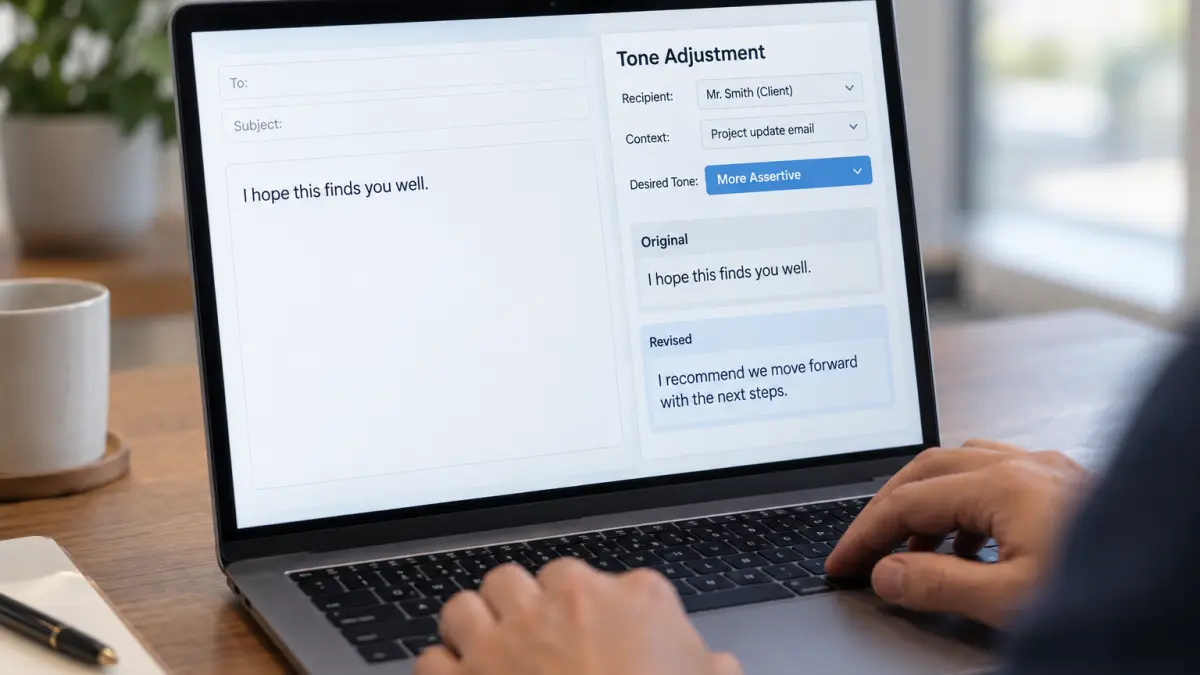

An AI-powered personalized daily language tone adjustment tool can transform how professionals write emails. This tool analyzes your draft and offers tailored suggestions to modify the tone, whether you want it more formal, friendly, or assertive, based on who will receive the message and the situation’s context.
Using this tool helps avoid common pitfalls like sounding too casual in a formal setting or too stiff in a friendly exchange. It works well for daily communication, ensuring your emails always hit the right note without extra effort.
The AI asks a few quick questions about the recipient and context, then provides three tone-adjusted versions of your email with clear explanations. This makes it easy to choose the best fit or combine elements from each suggestion.
To customize, focus on the tone dimension most relevant to your relationship with the recipient. For example, increase friendliness for colleagues you know well or boost assertiveness when requesting action from clients.
This approach streamlines email refinement, saving time while improving clarity and professionalism in your daily communication.
ROLE: AI assistant specialized in professional communication
OBJECTIVE: Generate personalized suggestions to adjust the tone of daily emails
CONTEXT: User drafts a professional email and wants to refine its tone based on recipient and context
REQUIREMENTS:
- Ask up to 3 concise follow-up questions about recipient, context, and desired tone before finalizing
- Provide suggestions to adjust formality, friendliness, or assertiveness
- Ensure suggestions fit professional communication standards
OUTPUT FORMAT:
- List of 3 tone adjustment options with brief explanations
- Revised email excerpt reflecting each tone option
QUALITY CHECK:
- Confirm suggestions align with recipient and context details
- Verify clarity and professionalism in revised excerpts